

I spent a weekend on DNS and it fixed my entire home lab
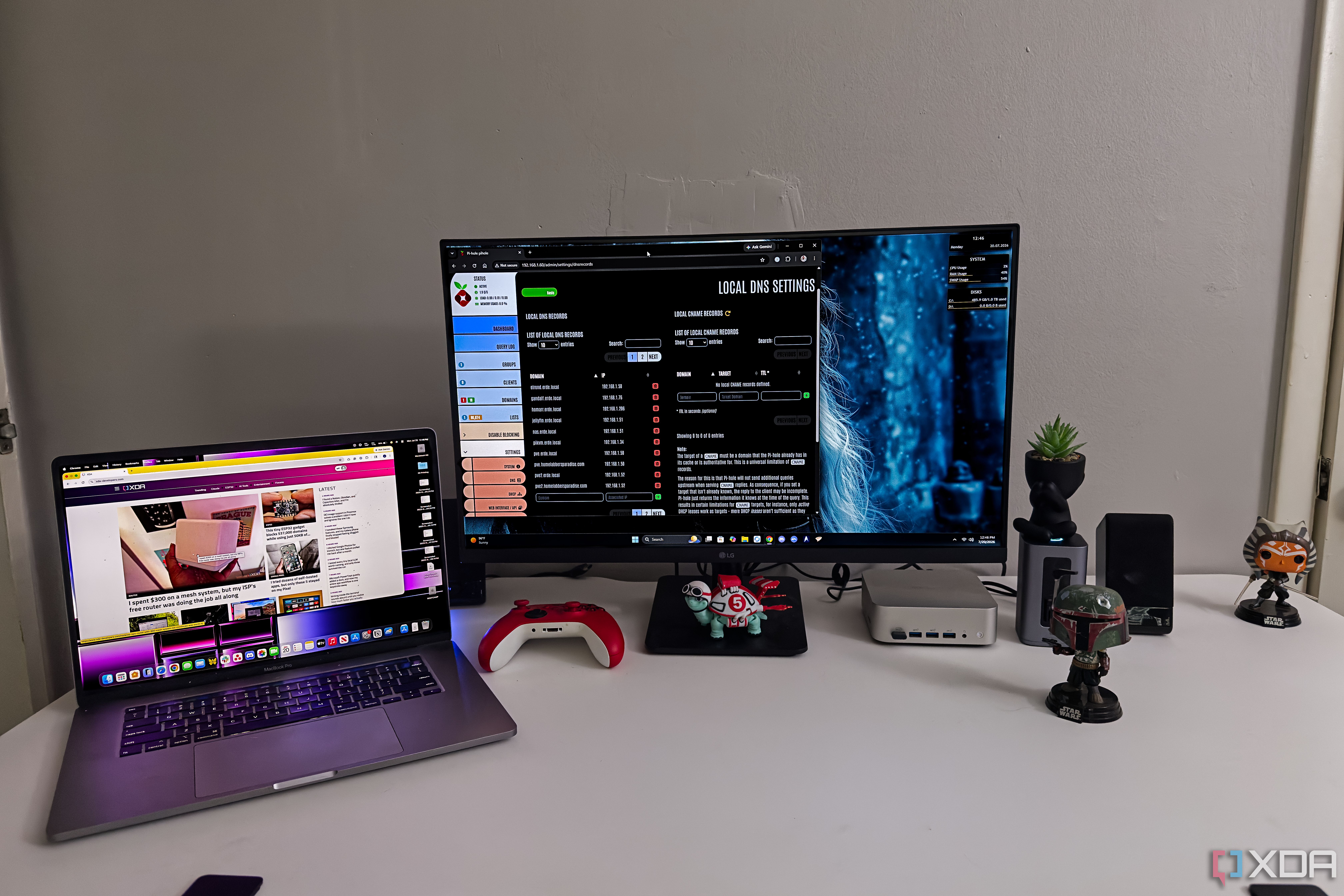
I spent a weekend fixing local DNS, hostnames, and split resolution, and it made my entire home lab easier to use and maintain.
The most useful home lab upgrade I made this year didn’t involve a faster processor, another mini PC, or a rack full of blinking network gear. It was DNS, the background service most of us configure once and then leave alone until something refuses to resolve. I finally spent time cleaning up local records, using consistent hostnames, separating internal and external resolution, and deciding which services should handle different requests. None of it was exciting, but it changed how the whole lab felt every time I opened a browser. DNS made every service easier to reach and remember I finally stopped memorizing addresses for every local service Before I cleaned up DNS, using my home lab meant remembering a growing list of IP addresses and port numbers. Proxmox lived at one address, my NAS at another, Pi-hole somewhere else, and every container seemed to add one more number I was expected to keep in my head. I usually remembered the services I opened every day. The rest sent me digging through bookmarks, notes, or the router’s client list while wondering why I hadn’t fixed this sooner. Assigning sensible hostnames removed that irritation almost immediately. Instead of thinking about which device currently owned a particular address, I could open a name that described the service I wanted. That sounds small, and technically it is, but I noticed it every single day. I stopped hesitating before opening less frequently used tools because I no longer had to remember where I’d put them. Consistent naming also made the lab easier to understand when I was changing things. A hostname could tell me whether I was opening a physical server, a virtual machine, a container, or a management interface before the page finished loading. I’d previously treated names as a bit of cosmetic cleanup, which was wrong. DNS gave the environment a vocabulary, and that vocabulary made everything feel intentional. Split DNS cleaned up access inside my network The same service names now work from every device The bigger improvement came from configuring internal DNS records for services that also use public domain names. I wanted clean addresses and valid certificates, but I didn’t want local traffic leaving the network and then trying to come back in. Split DNS fixed that by returning local addresses for requests made inside my home network. Outside the network, the public records could still point wherever they needed to point. DNS gave the environment a vocabulary, and that vocabulary made everything feel intentional. That made access much more predictable. I could use the same address on my Mac Studio, my phone, or another machine without stopping to think about whether I was connected to Wi-Fi. Bookmarks no longer depended on where I happened to be, and I didn’t need separate internal and external configurations for the same service. DNS handled the difference quietly, which is exactly what I wanted from it. It also cleaned up HTTPS, which had been one of those jobs I kept postponing because the existing setup mostly worked. Browser warnings weren’t catastrophic, but they were annoying, and I was tired of treating them as normal. Once the names, certificates, and DNS records matched, secure access stopped feeling like an extra layer I had to work around. It became the default instead of the thing I promised myself I’d finish later. DNS can become another fragile dependency to manage Centralizing name resolution gives one service enormous responsibility The downside is that DNS becomes important very quickly. When name resolution fails, nearly everything appears broken at once, even when the underlying services are still running normally. A failed DNS container can make the NAS, hypervisor, dashboards, and remote tools all seem unreachable in the same moment. That’s a much broader failure than losing one optional application. I ran into a version of this after allowing systems to depend too heavily on my local DNS setup. A resolver problem could prevent package downloads and turn ordinary maintenance into what looked like a larger networking issue. The error messages didn’t help much because they usually appeared in the application that couldn’t connect, not at the point where resolution had failed. I spent time checking services that weren’t actually the problem. Don’t let critical systems depend entirely on one local DNS resolver. Keep the IP addresses for your hypervisor, NAS, and other management interfaces documented somewhere outside the network, and configure a secondary resolver where it makes sense. DNS failures are much easier to fix when you can still reach the machines running it. There’s also more upkeep than the finished setup suggests. DNS records need to match address reservations, stale entries have to be removed, and network changes can create extra cleanup somewhere else. Adding redundancy takes more work, especially when the same resolver also handles filtering or recursive lookups. It isn’t a set-it-and-forget-it system just because it fades into the background when everything is healthy. A little redundancy keeps DNS from becoming dangerous The fix is planning for failure, not avoiding DNS That risk didn’t convince me to abandon local DNS. It convinced me to stop treating it like another container I could restart whenever I felt like it. Important hosts can use a secondary resolver, and the addresses for critical management interfaces should be written down somewhere that doesn’t depend on the network. I learned that last part through annoyance rather than foresight. I also stopped assuming every system needed to follow the same resolution path. Local services can use local records where they’re useful, while infrastructure machines retain access to reliable external resolvers when necessary. That matters during updates and troubleshooting because a filtering problem shouldn’t stop the hypervisor from reaching package repositories. Separating those roles made the setup less tidy on paper, but more dependable in practice. Monitoring helps too, although checking whether the DNS container is running isn’t enough. A resolver can be online and still return bad answers, time out, or fail to reach an upstream service. Testing a few known internal and external queries gives a much clearer picture of whether DNS is actually doing its job. With that in place, the failure risk feels manageable rather than like a reason to avoid the project. Boring infrastructure made my home lab more enjoyable DNS didn’t make my servers faster, increase storage capacity, or unlock a new category of software. It removed a small obstacle from almost every interaction I have with the lab. Services are easier to reach, HTTPS works more cleanly, and I don’t have to consult a list of addresses before opening something I haven’t used in a week. I notice that improvement far more often than I notice most hardware upgrades after the initial excitement wears off. The best home lab projects aren’t always the ones that produce impressive benchmarks or justify buying another machine. Sometimes the better upgrade is making the equipment already on the network easier to use and less irritating to maintain. Cleaning up DNS turned a scattered set of addresses into something I could navigate without thinking about it first. It was boring work, and I put it off for exactly that reason, but it’s one of the few upgrades I benefit from every day. Pi-hole - OS - Linux - Price model - Free Don't rely on Pi-hole solely for ad blocking; it can serve an invaluable purpose by helping manage local DNS records for your home lab.
This is a summary. Read the full article at the original source.
Read full article at xda_developers